New Features for Omatic Cloud: December 2025


Content Marketing Manager
For many people, the final weeks of the year are a respite, a time for rest, reflection, and relaxation. But not for nonprofit database administrators. We know the second half of December is crunch time. It’s an organization’s last chance to make the most of year-end generosity. It’s also a time when database professionals have to process a massive influx of gifts and other data.
We get it, and we are here for you. That’s why Omatic has rolled out some key features to make it easier than ever to get your data where it needs to go during your busiest season. Read on for the latest improvements to Omatic Cloud!
We’ve made Omatic Cloud’s Auto-Pick feature easier to access and use. You can now find Auto-Pick on the Matching screen, so you can narrow down the results returned from your search scenarios.
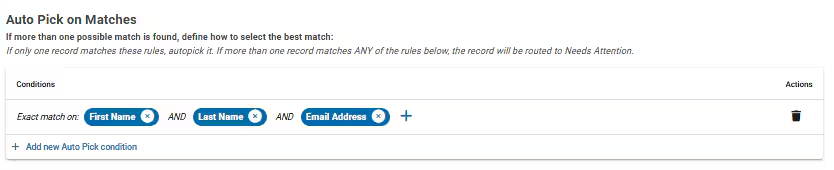
Additionally, you can create multiple Auto-Pick rules for more flexibility and less manual review. For example, you can set auto-pick to identify records based on email and name, based on alias and name, and more. If there’s a clear match on your criteria, the Auto-Pick feature will select it, reducing the number of one-to-many records to review. Read more about configuring your auto-pick settings.
This reduction in the number of records that Omatic Cloud prompts you to review means you will be able to complete reviews in less time than ever.
With this new feature, you can have more control over how Omatic Cloud routes relationship records. Instead of automatically sending all your records to “Related Records,” during imports, you can now set custom rules to ensure each record is handled correctly. This means:
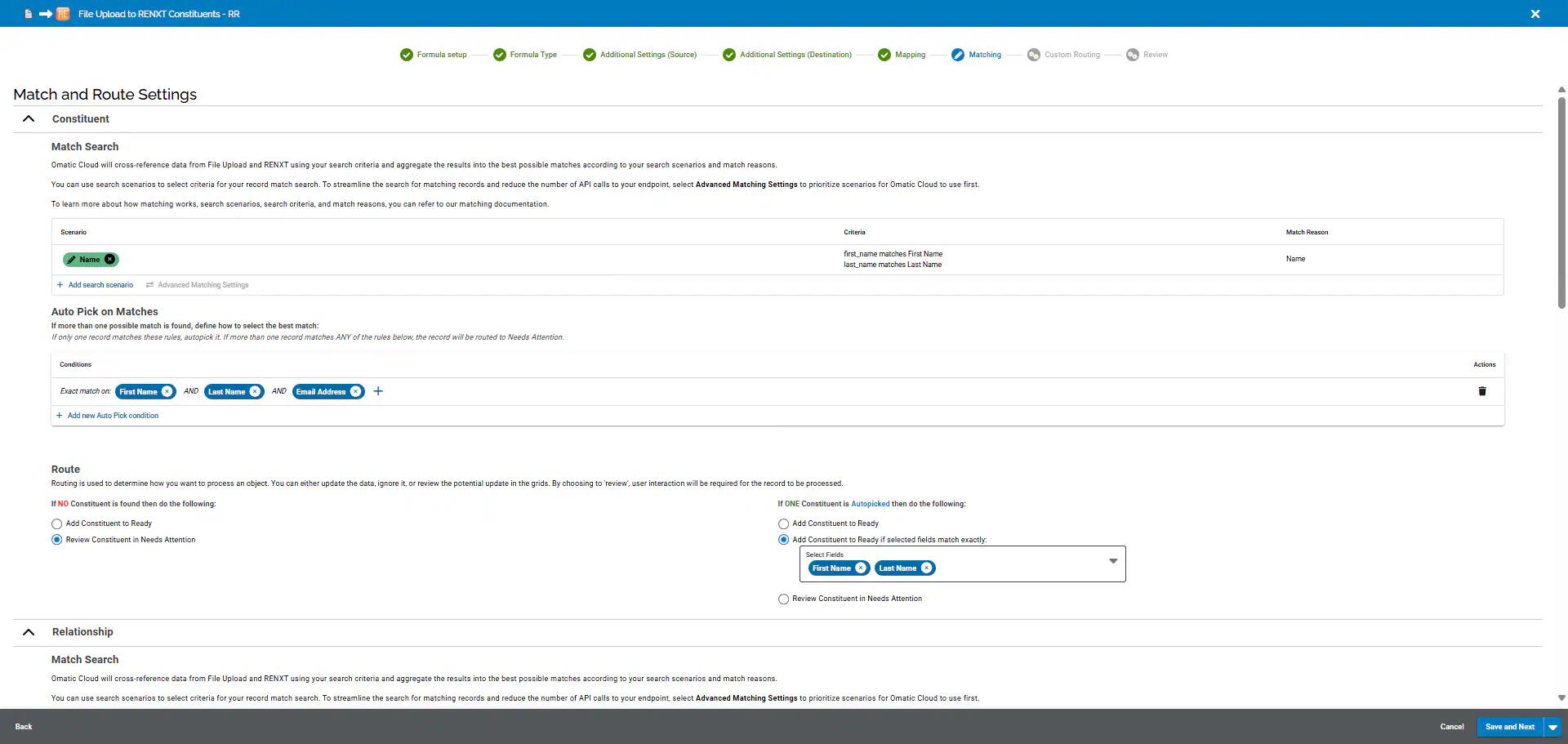
This added flexibility for where your records go will make it easier to keep your data organized and end up in the proper place.
This powerful enhancement to Omatic Cloud allows you to create targeted rules for routing records. Now, you can pre-filter or omit specific types of records, so you can transfer the data that matters to you (and ignore the rest)!
For example, you can use this feature to omit internal gifts from staff, filter test email addresses, or ignore placeholder data. By pre-filtering the data you know you don’t want in your CRM, you’ll be able to save time on the record review process or manual removal later.
Ready to try these and other Omatic Cloud features out for yourself? Book a demo today!
Sign up to receive our e-newsletter with the latest tips, technology, trends, and upcoming events.


