

Data Transformation in Omatic Cloud
Every system has its own way of formatting data. When those formats don’t match what your CRM expects, cleaning data becomes someone’s full-time job. With Omatic Cloud, that job gets done automatically, so your team gets the data they need in exactly the right format to put it to work for your mission.
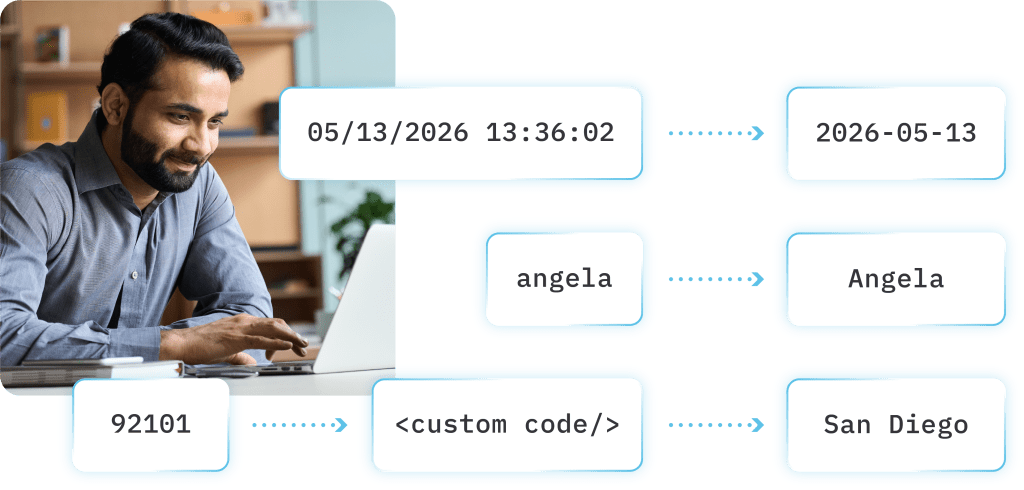
Data structured the way your CRM needs it.
Omatic Cloud automatically converts data as it moves between systems, applying your organization’s specific formatting rules, field logic, and business conventions in transit. By the time data reaches your CRM, it’s already clean, consistent, and structured exactly the way your team needs it.
Compatible with Raiser’s Edge NXT, Salesforce, Virtuous, and more, Omatic Cloud was built for the complexity of nonprofit data, so your team can stop bridging the gap between systems manually and start trusting what lands in the CRM.
What Your Team Can Do With Data Transformation
From simple formatting fixes to complex business rules, here are some of the most common ways nonprofit teams put Omatic Cloud to work.
Standardize Names and Address Formatting
Inconsistent capitalization and address formatting creates records your team can’t rely on. Automatically apply proper casing and standardizes address fields so every constituent record looks the way it should from the moment it arrives.
Expand State and Country Abbreviations
A state field that says “ME” means nothing to a CRM expecting “Maine.” Easily translate abbreviations automatically so your records are always complete, readable, and consistent across every system.
Populate Honorific Fields Automatically
Manually adding titles like Dr., Reverend, or Honorable to constituent records is time-consuming and easy to miss. Automatically populate honorific fields using existing data in your records, so every supporter is addressed correctly every time.
Calculate Gift Amounts
When donors receive goods or benefits as part of their gift, the taxable amount needs to reflect the fair market value deduction. Handle that calculation automatically so your gift records are accurate and your receipts are compliant.
Translate Fund Names to Internal Conventions
Your public-facing fund names and your internal accounting codes are rarely the same. Map them automatically so gifts land in the right fund every time, without anyone having to manually translate between the two.
Combine Fields
Sometimes your CRM needs one field where your source system has two. Automatically concatenate fields, combining first and last names, building full addresses, or merging any fields your CRM expects as a single value.

Avon Old Farms School Fast-tracks Prospect Research and Donor Outreach Using Omatic Cloud
Making this investment in Omatic has given us time back to focus on other projects.


