Fast and Easy File Transfer Tips for Raiser’s Edge™ Users


Nonprofit organizations that choose to host their Raiser’s Edge database gain the added benefit of being able to access their important files from just about anywhere. However, sometimes accessing your files through the hosted File Transfer Protocol (FTP) utility for Blackbaud® can be a time consuming experience. But, don’t fret, I have good news for you! Did you know that Raiser’s Edge users have an alternative download option available through FileZilla?
Elevate your data quality with seamless imports! Discover how Omatic Cloud transforms data management for Raiser’s Edge NXT: Smarter Imports, Better Data: Omatic Cloud for Raiser’s Edge NXT.
FileZilla is free to download and it can provide users a convenient way to easily drag and drop files from their local or shared drives into the hosted FTP folder provided by Blackbaud. FileZilla is a utility that is also recommended by Blackbaud, as evidenced by this helpful BlackbaudKnowHow.com article: http://www.blackbaudknowhow.com/the-raisers-edge/ways-to-access-the-files-folder-in-blackbaud-hosting.htm
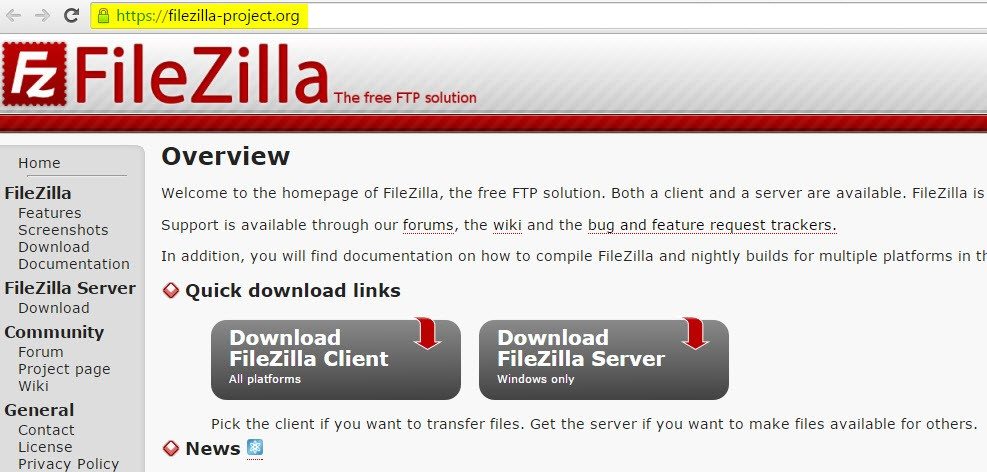
To download FileZilla for free, check out their website: https://FileZilla-project.org/
Once you download and install FileZilla, simply complete the connection information and click “Quickconnect.” Here is a breakdown of what information FileZilla needs from you:
Host = files.blackbaudhosting.com
Username = your hosting user name
Password = your hosting password
Port = 22
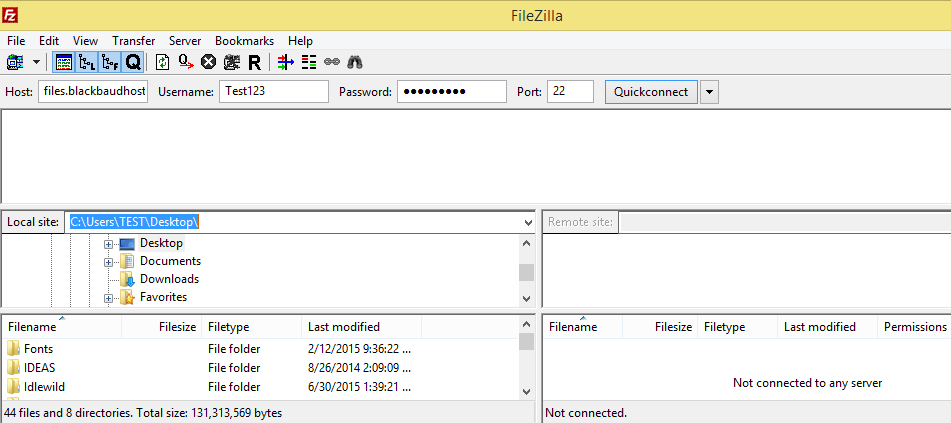
Once FileZilla is set up, you can use FileZilla to easily drag and drop files from your local drives to the hosted FTP folder without having to go through a time-consuming login process.
The dashboard window at the bottom left lists your local file directories, and the remote site containing files on the hosted FTP site provided by Blackbaud is on the bottom right dashboard window. You will need to enter your hosted site ID after the “/” to see the content of that hosted FTP folder. From this window you can take advantage of all the drag & drop capabilities as well as use a right-click to pull up a menu of options!
Care to know more tips and tricks regarding the hosted FTP utility? Check out the following articles:
• How to access the secure files folder
• How to use FileZilla to access your FTP and/or Hosting Files Folder
We offer a variety of Raiser’s Edge Tutorials:
*Please note that FileZilla DOES NOT work for Blackbaud clients hosted out of the Vancouver data center. Hosted Canadian clients should instead try using Bitkinex, which is a similar utility: How to configure BitKinex 3.2.3 for Windows to access the Blackbaud Hosting Services Files Folder
The Raiser’s Edge™ is a trademark of Blackbaud, Inc.
Sign up to receive our e-newsletter with the latest tips, technology, trends, and upcoming events.


